Shake detection that understands bokeh
Tile-based sharpness plus blur-directionality analysis separates true camera shake from intentional shallow depth of field — so portraits aren't discarded.
PhotoAgent scans a folder of photos, detects camera shake — and knows the difference between shake and intentional bokeh — then enhances your best shots automatically. Everything runs on your device.
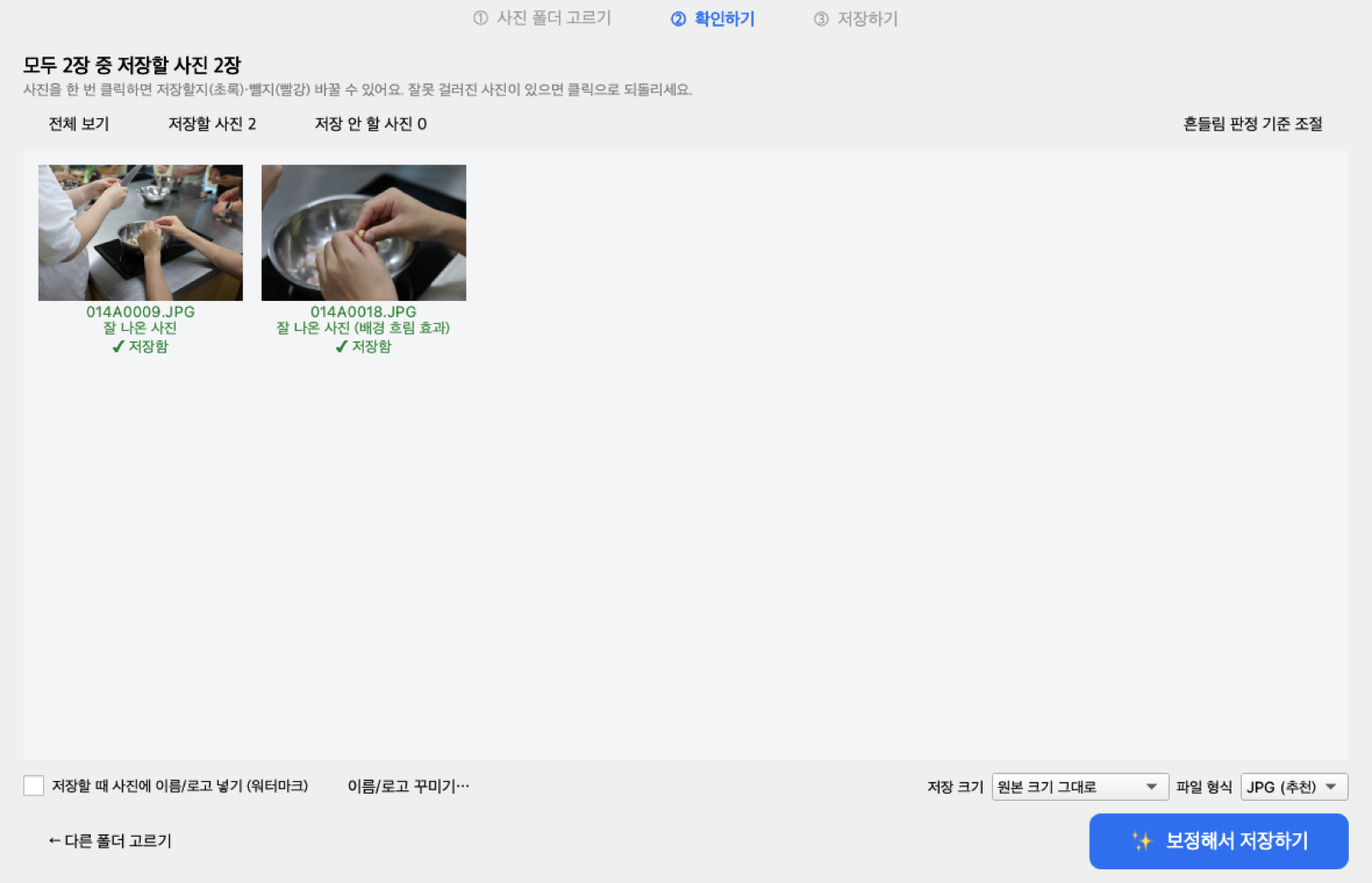
The review step in PhotoAgent for Windows — one click to keep or exclude any photo. (UI currently in Korean; English localization planned.)
Point it at a folder. Get back a clean, enhanced set — with the shaky frames sorted out of the way.
Tile-based sharpness plus blur-directionality analysis separates true camera shake from intentional shallow depth of field — so portraits aren't discarded.
Tone, white balance, vibrance, and sharpening — applied per photo with EXIF metadata preserved. Exports to a separate folder, originals untouched.
On macOS, machine-learning subject masks enable separate adjustments for subject and background, plus a natural depth-blur effect.
Text or logo watermarks with full control over font, size, opacity, and position. Apply to the whole batch or per photo.
Choose output resolution and format (JPEG, PNG, HEIC, WebP). Rejected photos are filed by reason — shake, focus, exposure — for easy review.
No account, no upload, no telemetry. All analysis and processing happens locally. The full source code is public and auditable.
Choose any folder of photos. Analysis starts automatically — a few seconds for hundreds of shots.
See exactly why each photo was kept or flagged. Override any decision with a single click.
Enhanced keepers land in a new folder next to your originals, with a full processing report.
Version 1.0.0 · Free under the Apache 2.0 license
PhotoAgent is free and open source, built and maintained independently. If it saves you time, consider supporting continued development — any amount helps.
Donate — choose your amountYes. PhotoAgent is open source under the Apache License 2.0. There is no paid tier, no account, and no ads. You can read every line of the code on GitHub.
No. All analysis, enhancement, and export happen locally on your machine. PhotoAgent makes no network requests and collects no telemetry.
No. PhotoAgent only reads your originals. All output — enhanced photos and sorted rejects — is written to a new folder created next to the source folder.
The app is currently signed ad-hoc rather than notarized with a paid Apple Developer ID. Right-click the app and choose Open the first time; macOS remembers your choice afterwards. You can also build from source.
The installer is not yet signed with a paid code-signing certificate, so SmartScreen shows a caution for new publishers. Click "More info" and then "Run anyway". The installer is built automatically from the public source code by GitHub Actions, and you can verify or build it yourself.
The interface is currently in Korean. English localization is planned. The analysis pipeline and documentation are language-independent.
PhotoAgent measures sharpness per region, so a photo with a sharp subject and blurred background scores as intentional bokeh. For fully soft frames, it examines the directionality of the blur: motion blur smears in one direction, while defocus blur is uniform.